|
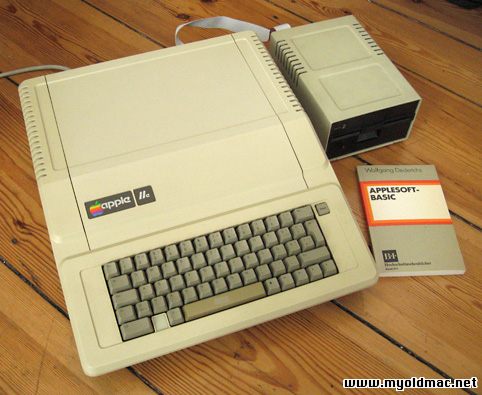
Apple IIe Computer
The Apple IIe was the third model in the Apple
II line of personal computers, produced by Apple
Computer. The "e" in the name stood
for "enhanced", referring to the fact
that several popular features were now built-in
that were previously only available as third party
upgrades and add-ons in earlier models. Board
Revision B: In addition to supporting Double-High-Resolution
and Double-Low-Resolution (560x192 and 80x40 pixels
respectively, with 16 colors in each mode; with
hi-res effectively 140x192 due to color placement
restrictions) it also added a special video signal
accessible in slot-7.
|
After having sold more than 750,000 Apple II
and II+ systems, making it one of the best-selling
brands in the global computing market, Apple released
an updated version of the II+, the Apple IIe ('e'
standing for enhanced). It also met with very
great success and was widely used in schools (still
in use in 2000 in some places!). The Apple IIe
was replaced with the enhanced Apple IIe in 1985,
which had 128k RAM, 32k ROM, improved support
for 80-column text and lowercase characters, and
was powered by the 65C02 CPU, the same as the
Apple IIc one.
The Apple IIe is a cost-reduced yet more powerful
machine that used newer chips to reduce the component
count and add new features, such as the display
of upper and lowercase letters and a standard
64 KB of RAM. The IIe RAM was configured as if
it were a 48K Apple II Plus with a language card;
the machine had no slot 0, but instead had an
auxiliary slot that for all practical purposes
took the place of slot 3. The auxiliary slot could
accept a 1K memory card to enable the 80-column
display (the card contained only RAM; the hardware
and firmware for the 80-column display was built
into the Apple IIe).
Related Links :
|